
Case study · ExtremeCloud IQ · Extreme Networks
A restaurant chain's network admin can now find a fault and fix it, or hand it on.

TL;DR
ExtremeCloud IQ is the cloud tool businesses use to run their networks: the Wi-Fi, switches and routers in every building. Ian runs it for a restaurant chain with locations around the world, and he is not a network expert. A slow network loses a restaurant business, so Ian has to catch problems early and fix them fast.
Now time, place, health and alarms come to Ian together, so he can find a fault and fix it or hand it on.
What happens when the Wi-Fi slows down at one of the restaurants?
Ian looks after the network for a restaurant chain with locations around the world. When it slows down, so does service, and the business loses money.
Somewhere in it, the Wi-Fi is becoming too slow to use. Nothing warned him. Which location? Since when? One device, or many?
Previously, the essentials lived in different systems: the locations in one, the network topology in another, the alarms and the device list elsewhere. Ian had to correlate them by hand, and by the time he found the device, he had lost his place.
He still cannot tell why it happened, or what is safe to change. One wrong setting can take a whole network down. So he raises a ticket, and waits, while the restaurant waits with him.
What did Extreme ask for, and what was really wrong?
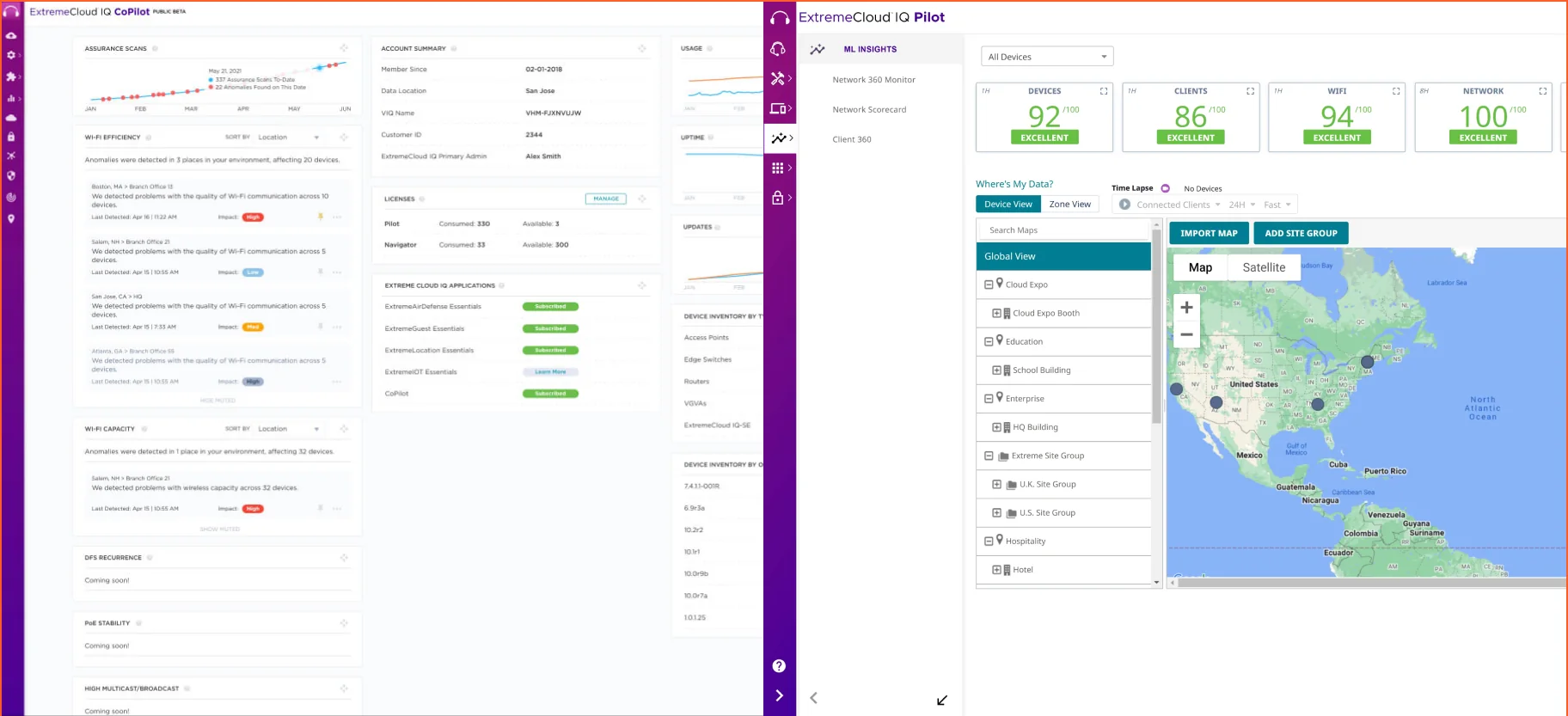
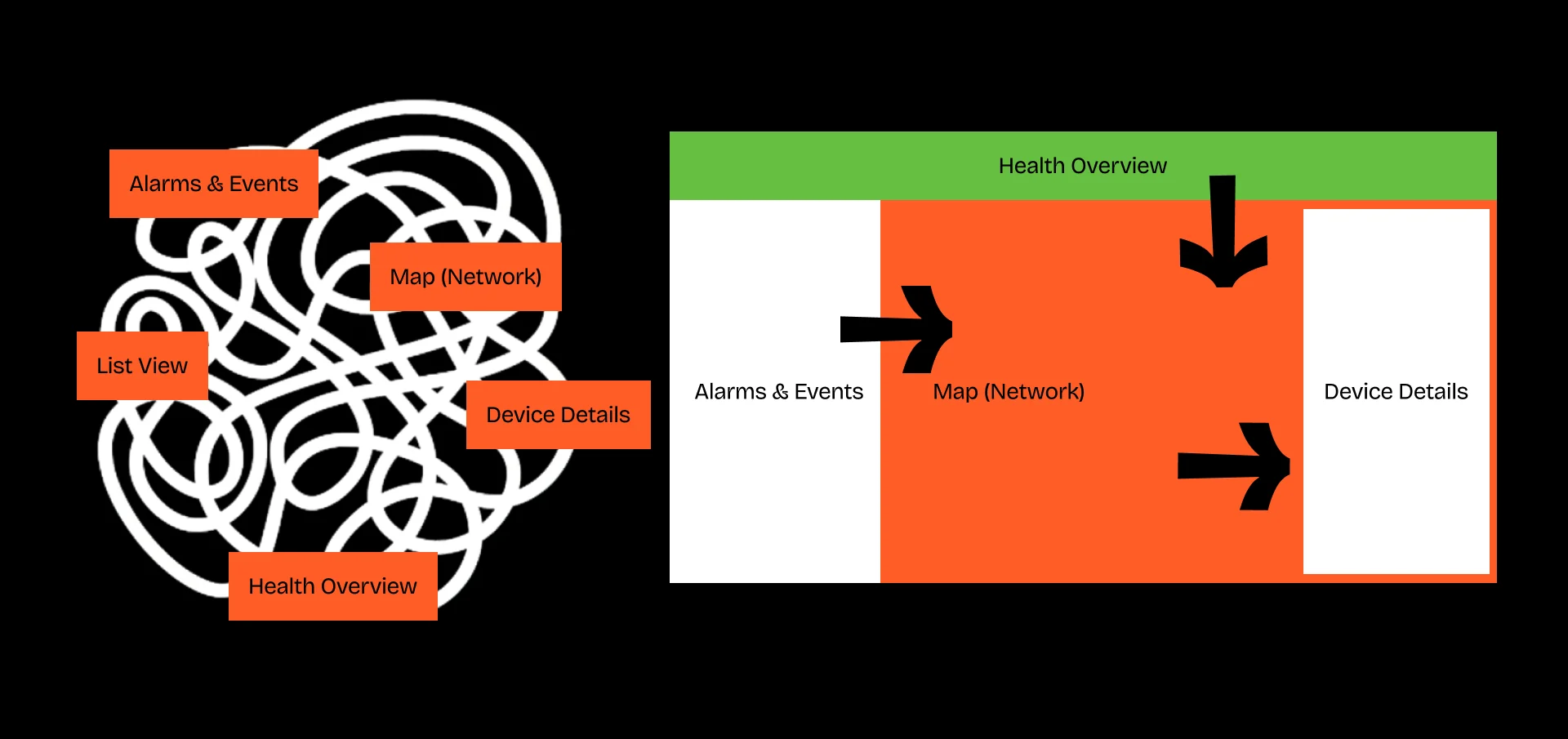
Extreme asked for a cleaner interface. The screens were busy, with too many fonts, colours and icon styles. But the trouble sat underneath: the product had been built in separate parts, maps, alarms and device lists each on their own, with new features added on top.
Polish would have left Ian doing the joining up.
What was mine to find out, and to decide?
For six months I led a three-person pod at UXReactor, covering interaction, visual design and research, alongside an engagement lead. As the senior designer I ran the research and the client workshops, did the interaction and visual design, and argued for the redesign.
How did we find what was really wrong?
We started with what Extreme already had: past research, support tickets and every UI refresh shipped the year before. So we watched admins work through real failures and tracked two weeks of incidents. Every incident ran the same five steps, and the admin did the joining up, switching tools just to gather the data. That became four questions, and a proof of concept.
First, everything that already existed
Read all existing research
Interview transcripts, support tickets, internal feedback rounds, NPS verbatims.
Different teams. Different problems.
PM, design, engineering and operations each held a different version of what was breaking.
Reviewed every attempted solution
Each UI refresh shipped the year before: what changed, what didn't move.
No shared map.
Even the metrics being optimised differed across teams.
Talked to the team
What had worked, what hadn't, and what had been politically off-limits to raise.
Polish wouldn't fix this.
Every prior attempt had skipped this layer.
Then, the work itself
Shadowed live incidents
Beside admins, during actual failures.
Tracked two weeks of work
Every tool, every switch, every minute.
Rapid iterative testing
Paper sketches, then mid-fidelity prototypes, during live monitoring shifts.
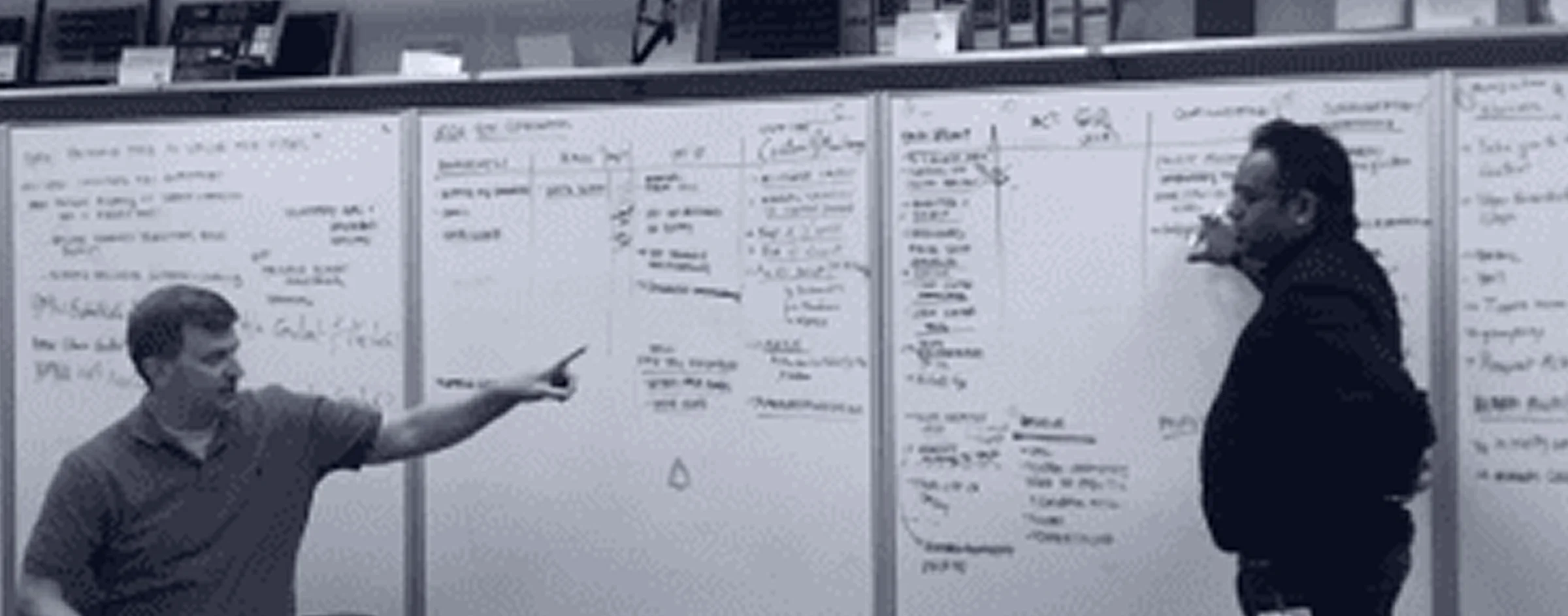
What it showed: the same five steps, every incident
The questions it left
How might we reduce the time and effort to correlate information?
How might we help Ian never lose context while investigating?
How might we keep Ian updated on overall health across organisations?
How might we turn troubleshooting from guesswork into a guided decision?
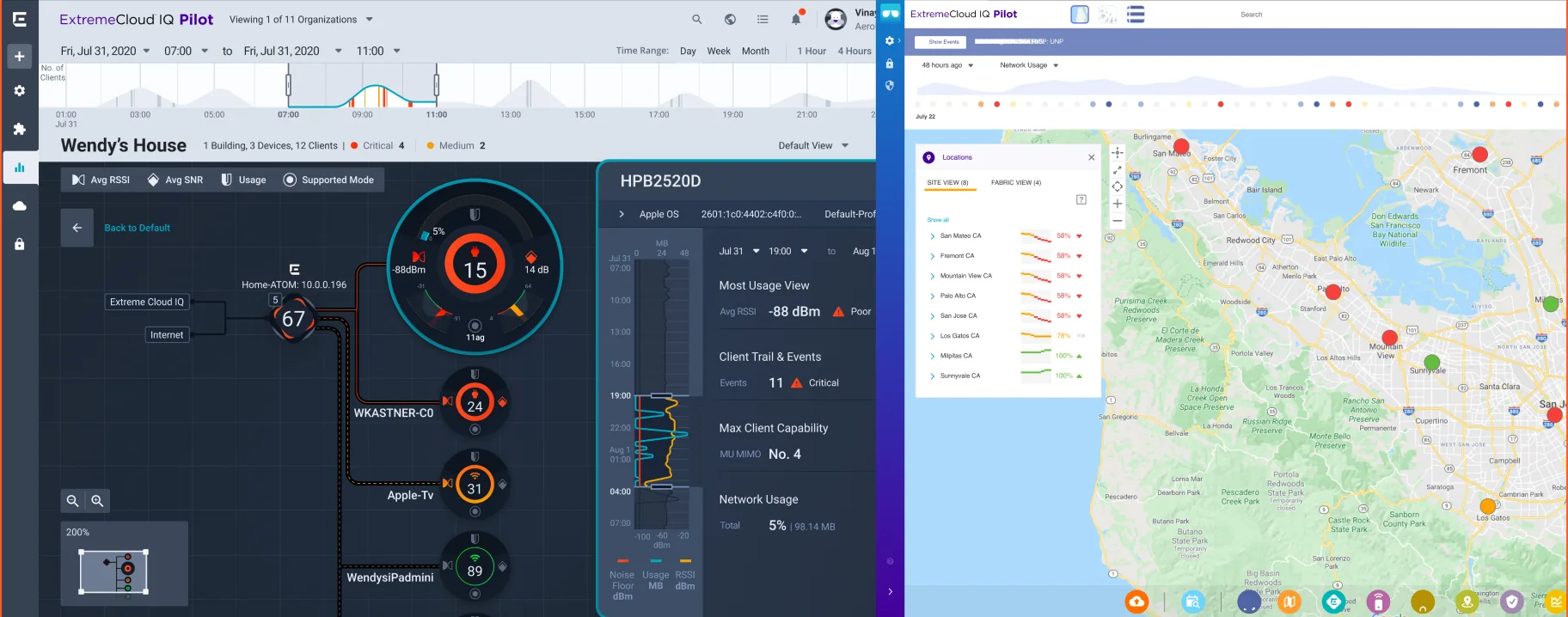
Why does every colour have one job?
One blue for action, four colours for health, and everything else in shades of Midnight, so a colour on screen always means something. The same system now runs across Extreme's products.
What can Ian do now that he could not before?
Catching problems early takes correlation and context. Four questions, in the order Ian asks them.
One moment, four views
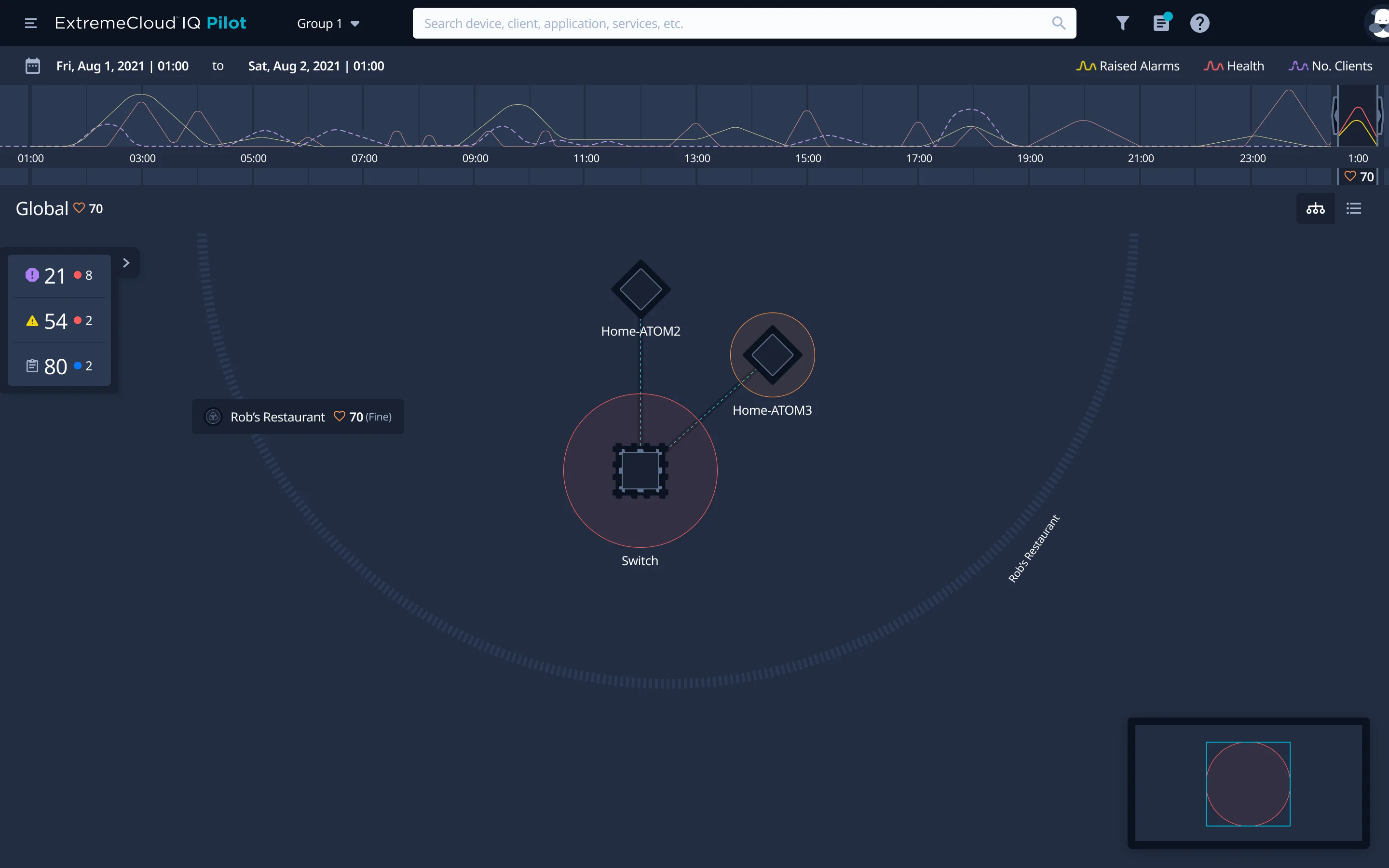
When
the health timeline: health, raised alarms and clients over the day
How bad
the health score, for the location and for the device
What
the alarms, counted by severity, beside the map
Where
every site and device on one map, ringed by how it is doing
Is anything wrong, anywhere?
Co-Pilot scans every location all the time and opens on what matters: Wi-Fi is becoming too slow to use. Network health has fallen from 91 to 25, with 19 anomalies grouped by location and the locations Ian watches in their own widget.
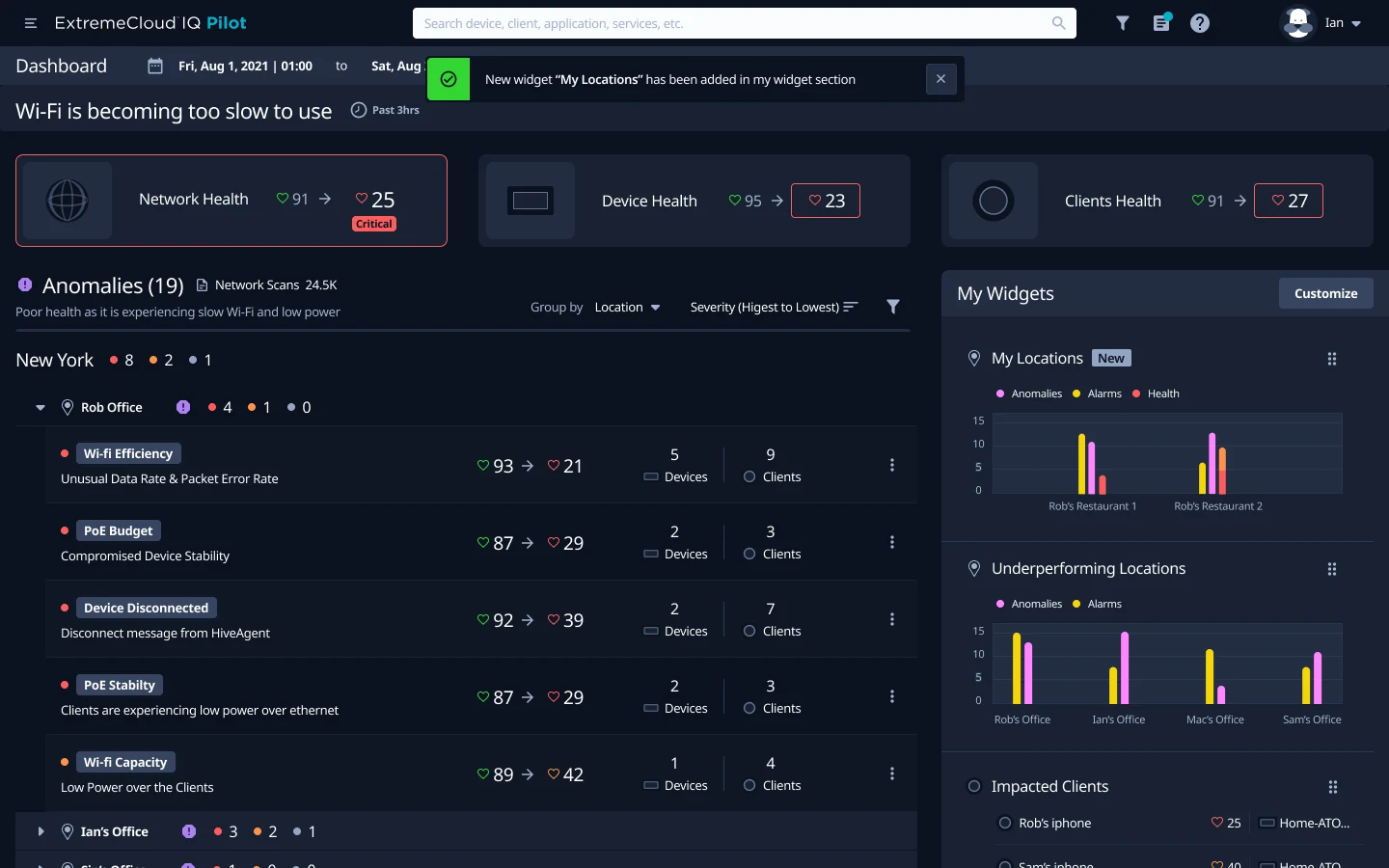
The one thing that matters
in plain words, first
Health, then and now
network, devices and clients
Grouped by location
or by anomaly, one switch
His locations
a widget for the ones he watches
When did it start?
The health timeline runs across the top of the map: alarms, health and connected clients over the last day. Ian moves the window back to the hour health fell, and the map beneath shows the network as it was then.
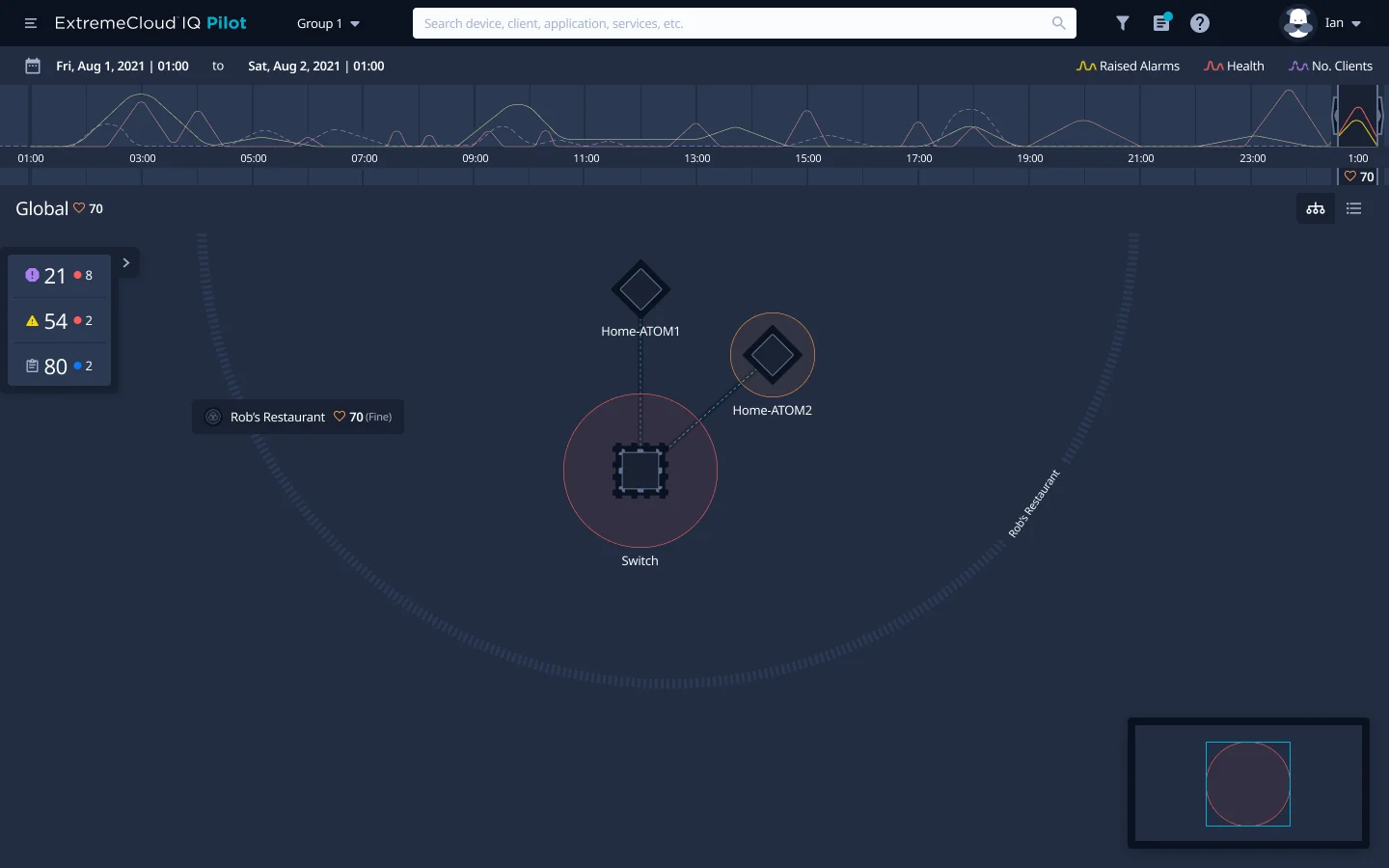
Three lines
alarms, health and clients, hour by hour
The window
drag it back to the moment health fell
The map follows
the network beneath shows that hour, not now
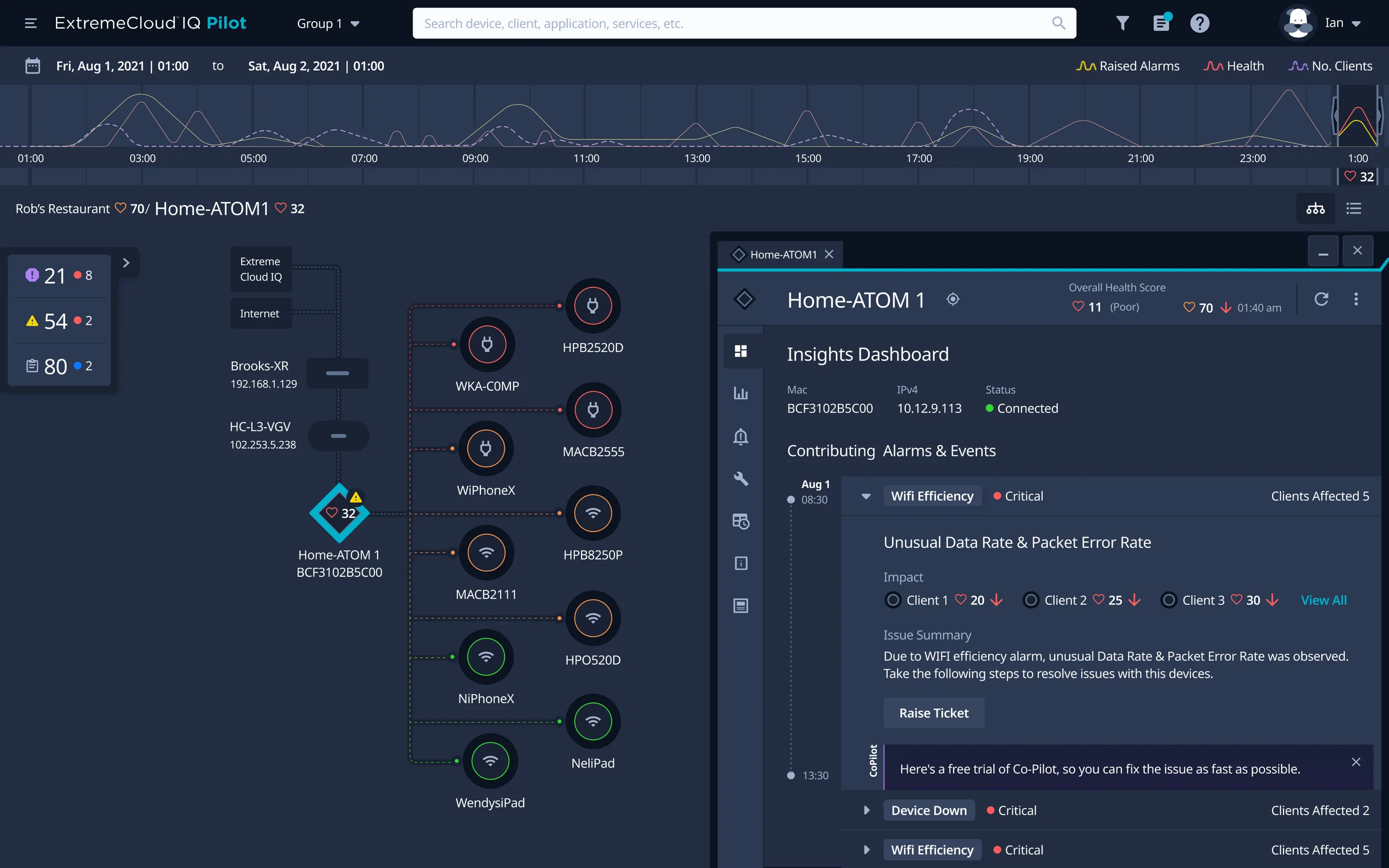
Why is it happening?
Ian opens the device beside the map, so he keeps his place. Its panel says whether it is fine and, if not, why: the anomalies, alarms and events behind its score, and who they hit. When a fault means lost service, it says so.
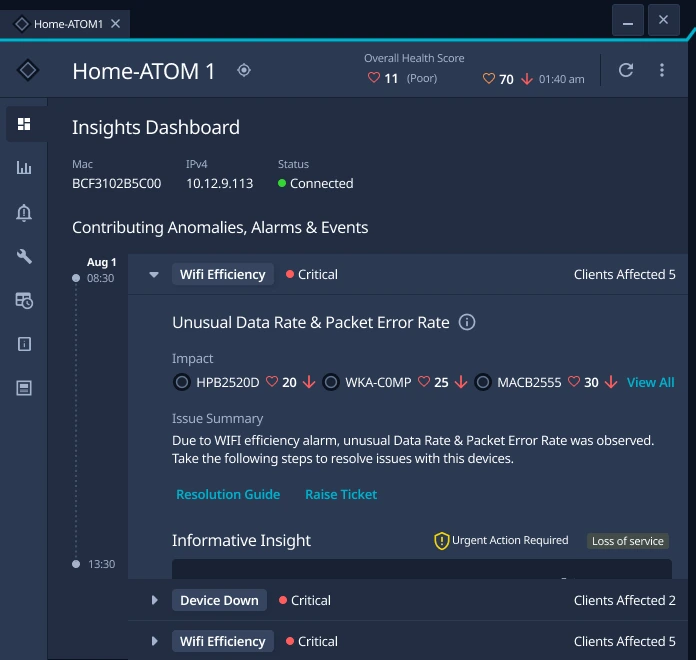
Fine or not
the device's health score
What is behind it
anomalies, alarms and events, in time order
Who it hits
devices and clients, with their health
Lost service, flagged
urgent action required
Can I fix it, or hand it on?
The Resolution Guide lists the steps, the reason for each, and what the fix will do before he saves: the device's health goes from 32 to 90. If he cannot fix it, Raise Ticket sends Extreme's support team the anomaly, its impact and a forecast of the lost service, attached.
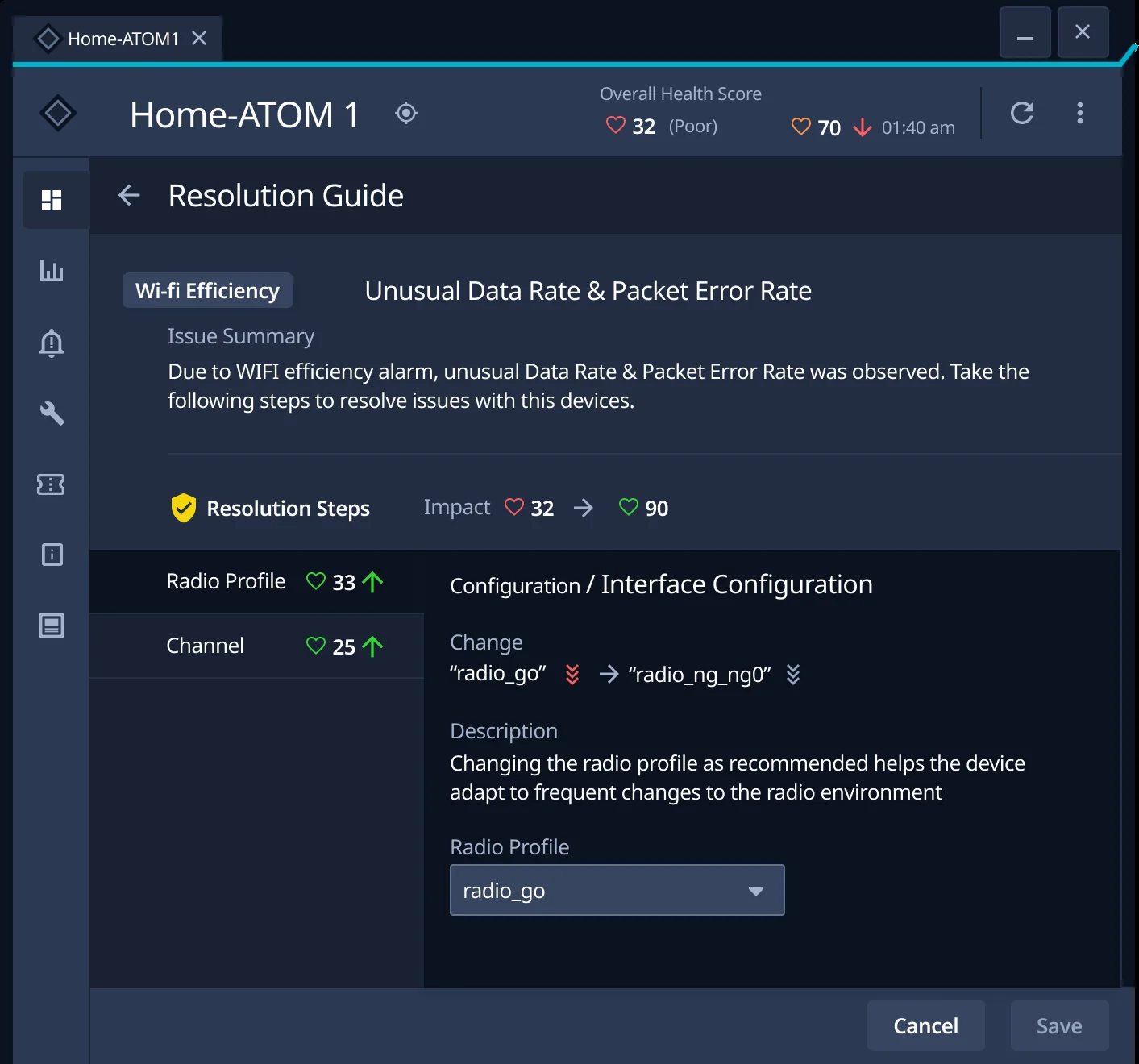
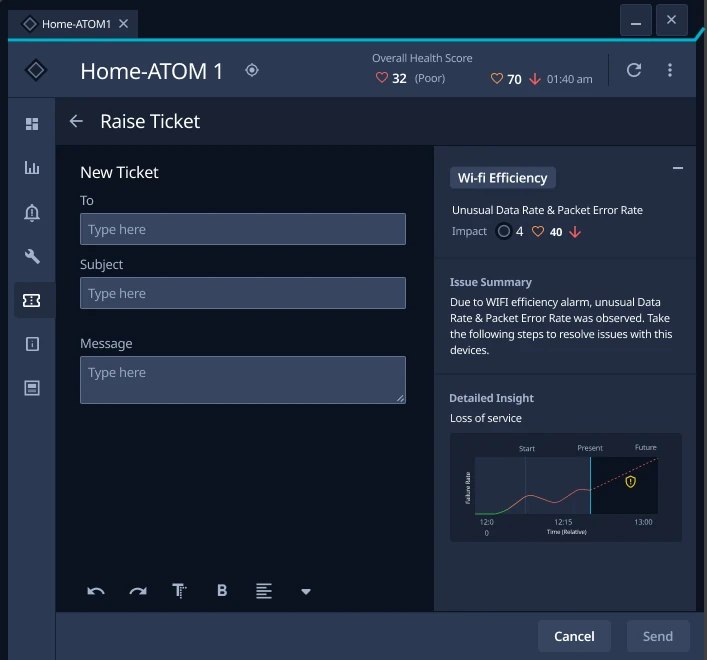
The impact, before saving
health from 32 to 90
Why this step
in a sentence
The evidence travels
the anomaly, its impact, the summary and the forecast
Should Extreme get the cleaner interface it asked for?
A refresh was the safe answer: it was the brief, and it fit the time. But refreshes had been tried, layered onto the same broken flow. The clues to one fault lived on separate screens, and new paint would have kept them apart, while every minute spent joining them up is a minute of lost business.
So I argued for redesigning the product's frame around one screen, in client workshops and with what testing showed. It took longer and touched every part of the product. Everything in the walkthrough depends on it.
So what changed for Ian?
Ian no longer lines up three screens in his head while a restaurant waits. He hears about a problem early, sees where, when and why, and fixes it or hands it on with the evidence attached.
The redesign made network admins 2x faster at finding, diagnosing and fixing issues, which means less downtime for Extreme's customers.

“UXReactor went beyond the interface and vastly improved the user experience for our complex enterprise application. They've become a partner in our success.”
Wendy Kastner
Head of Product Design, Extreme Networks · the 2x, in UXReactor's case study (opens in a new tab)